Vercel vs Netlify: Which Platform Is Better for Frontend Deployment?
Deploying a frontend application should be simple, reliable, and efficient. Whether you are building a business website, landing page, e-commerce storefront,…
Deploying a frontend application should be simple, reliable, and efficient. Whether you are building a business website, landing page, e-commerce storefront, or modern web application, choosing the right hosting platform can affect website performance, development speed, scalability, and maintenance costs.
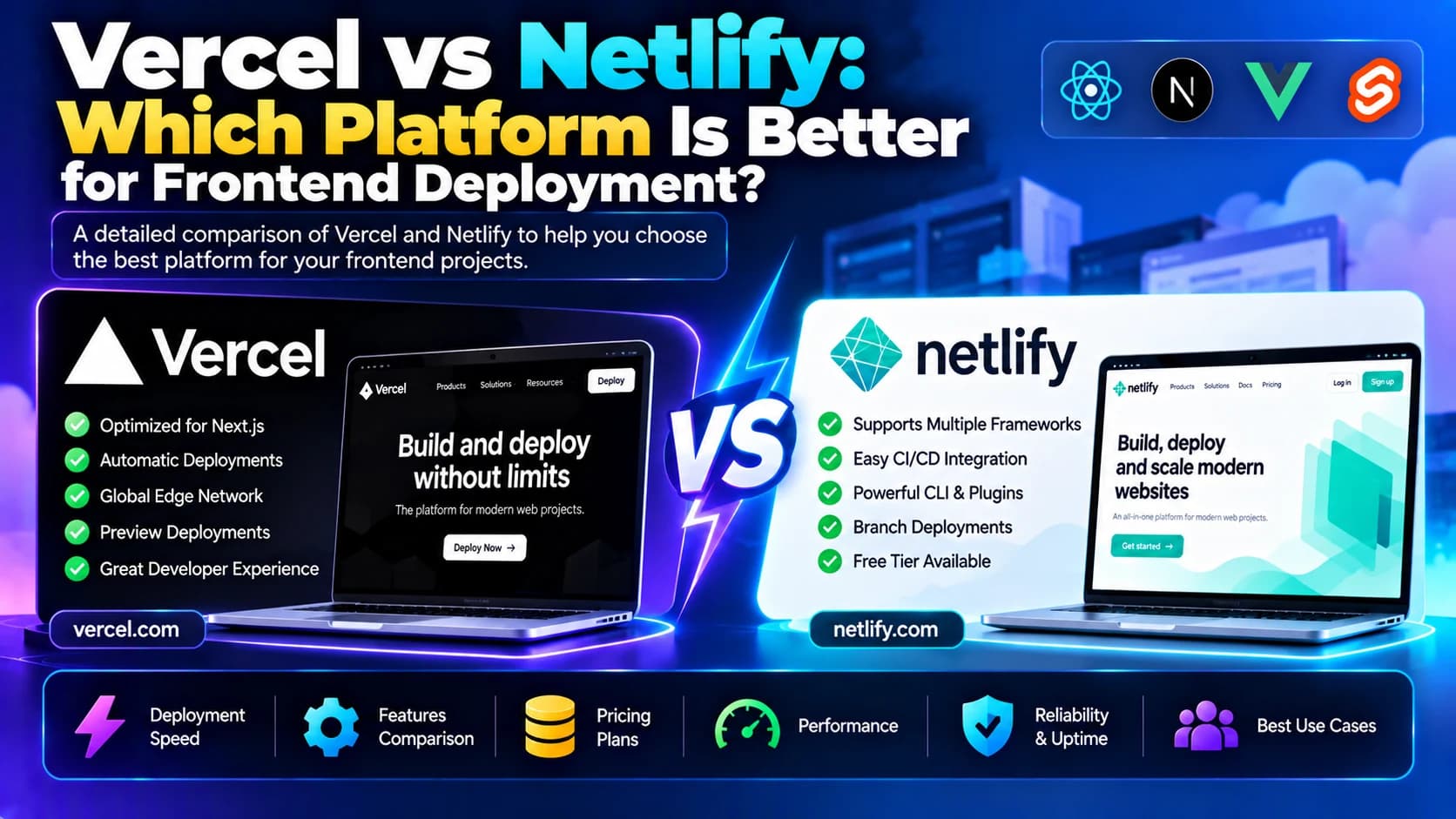
Vercel and Netlify are two popular platforms for deploying frontend applications. Both offer Git-based deployments, automatic build processes, preview environments, custom domains, and HTTPS support. They also provide features that help development teams manage releases without manually configuring traditional web servers.
However, the platforms differ in their deployment workflows, server-side capabilities, framework integrations, and additional services. Understanding these differences can help you select a platform that matches your application's technical requirements and business goals.
In this guide, we will compare Vercel vs Netlify, examine their features, explore their advantages and limitations, and explain how to choose the right platform for frontend deployment.
1. What Is Vercel?
<AsyncImage query="Vercel frontend cloud deployment platform dashboard projects deployments" aspectRatio="16:9" width="100%" />
Vercel is a cloud platform focused on frontend development and deploying modern web applications. It is particularly associated with Next.js, although it also supports many other frontend frameworks and application types.
The platform automates much of the deployment process. Developers can connect a Git repository, configure build settings, and deploy their application whenever changes are pushed to the selected branch.
Vercel also provides infrastructure for server-side rendering, serverless functions, caching, and content delivery, depending on the framework and service configuration.
Key Features of Vercel
Git-based deployments: Automatically build and deploy applications when code changes are pushed to a connected repository.
Framework integrations: Supports Next.js and other popular frontend frameworks.
Preview deployments: Create separate preview URLs for branches and pull requests.
Global content delivery: Deliver supported content through Vercel's edge network.
Server-side rendering: Run supported rendering workflows for dynamic applications.
Serverless functions: Handle backend operations without maintaining a traditional application server.
Custom domains and HTTPS: Configure domains and secure connections for deployed projects.
Performance analytics: Use available monitoring and analytics features to understand application performance.
Advantages of Vercel
Strong integration with Next.js and its deployment workflows.
Convenient preview deployments for collaborative development.
Supports static sites and dynamic frontend applications.
Reduces the need to manage web server infrastructure directly.
Offers caching and delivery features for supported workloads.
Limitations of Vercel
Costs can increase as traffic, function usage, and resource consumption grow.
Some features and usage allowances depend on the selected plan.
Applications with complex backend infrastructure may still require separate services.
Teams should review framework compatibility, caching behavior, and platform constraints before production deployment.
Best Use Cases for Vercel
Vercel is worth considering for Next.js websites, content-driven websites, marketing pages, frontend applications, e-commerce storefronts, and web applications that benefit from integrated rendering and deployment workflows.
2. What Is Netlify?
<AsyncImage query="Netlify frontend web hosting platform dashboard site deployments build settings" aspectRatio="16:9" width="100%" />
Netlify is a web development platform that helps teams build, deploy, and manage websites and frontend applications. It is widely used for static websites and Jamstack-style architectures, while also supporting selected dynamic capabilities.
Developers can connect a Git repository and configure automatic builds whenever code changes. Netlify also provides deployment previews, domain management, HTTPS, serverless functions, and tools for connecting frontend applications to external services.
Its workflow can be useful for teams that want to deploy websites without managing traditional hosting infrastructure.
Key Features of Netlify
Continuous deployment: Build and publish websites from supported Git repositories.
Deploy previews: Preview proposed changes before merging them into production.
Static site hosting: Deploy HTML, CSS, JavaScript, and generated website assets.
Serverless functions: Implement supported backend operations without maintaining a dedicated server.
Edge functions: Run supported logic closer to users through Netlify's edge infrastructure.
Forms and integrations: Use available platform features and integrations to support website workflows.
Custom domains and HTTPS: Configure domain names and secure connections.
Redirects and headers: Configure URL redirects and response headers using supported settings.
Advantages of Netlify
Straightforward deployment workflow for static websites.
Useful preview environments for review and collaboration.
Supports a range of frontend frameworks and static site generators.
Provides additional tools for common website requirements.
Helps reduce routine server administration.
Limitations of Netlify
Advanced dynamic application requirements may require additional configuration or external services.
Usage limits and pricing depend on the selected plan and services.
Applications that need extensive backend control may require a separate backend platform.
Teams should check the current framework adapters and runtime limitations for their specific application.
Best Use Cases for Netlify
Netlify is a strong candidate for business websites, landing pages, documentation portals, blogs, static sites, marketing websites, and frontend applications that use external APIs or supported serverless features.
3. Vercel vs Netlify: Key Differences
Both platforms simplify frontend deployment, but their strengths differ depending on the framework, rendering model, and services an application needs.
Feature | Vercel | Netlify |
|---|---|---|
Primary focus | Frontend applications and framework-integrated deployment | Websites, frontend applications, and web development workflows |
Framework association | Particularly closely integrated with Next.js | Supports multiple frameworks and static site generators |
Static site hosting | Supported | Supported |
Preview deployments | Supported | Supported |
Server-side rendering | Supported for compatible frameworks and configurations | Supported through compatible frameworks and adapters |
Serverless functionality | Supported | Supported |
Edge functionality | Supported | Supported |
Custom domains and HTTPS | Supported | Supported |
Git-based deployment | Supported | Supported |
Backend infrastructure | Functions and platform services, with external services when needed | Functions and platform services, with external services when needed |
Typical fit | Framework-driven frontend applications, especially Next.js | Static websites, content sites, and a range of frontend workflows |
Exact capabilities, limits, and availability vary by framework, runtime, and subscription plan. Verify the current documentation before choosing a platform for production.
4. Vercel vs Netlify: Pricing Comparison
Pricing matters when selecting a frontend hosting platform, particularly for startups, agencies, and businesses with changing traffic levels.
Both platforms offer plans with different features and usage limits. Your actual cost depends on how your application is built, how much traffic it receives, and which additional services it uses.
Vercel Pricing
When estimating Vercel costs, consider:
The subscription plan required for your use case.
Build and deployment usage.
Function execution and resource consumption.
Bandwidth and data transfer.
Image optimization and other platform services.
Team collaboration and access requirements.
Netlify Pricing
When estimating Netlify costs, consider:
The plan and included usage allowances.
Build minutes and deployment activity.
Bandwidth and request consumption.
Function and edge-function usage.
Team features and collaboration requirements.
Additional services and usage-based charges.
Which Platform Is Cheaper?
There is no universal winner. A static business website may have very different hosting costs from a high-traffic application that uses server-side rendering and image optimization.
Before deciding, estimate your expected monthly traffic, build frequency, bandwidth, function usage, and team requirements. Compare the total cost using each provider's current pricing and usage rules rather than relying only on advertised starting prices.
5. Which Platform Is Better for Next.js Applications?
Next.js applications can use static generation, server-side rendering, dynamic routes, API endpoints, and other framework features.
Vercel is particularly relevant because it provides a closely integrated deployment experience for Next.js. This can simplify the setup of supported framework features and platform-specific optimizations.
Netlify also supports Next.js deployments through its framework integration and adapter-based workflows. However, teams should verify that their specific Next.js version, rendering approach, and runtime requirements are supported as expected.
Consider Vercel if:
Your application relies heavily on Next.js features.
You want an integrated workflow for previews and deployments.
Your team wants to use supported platform-specific rendering and caching capabilities.
Consider Netlify if:
Your team already uses Netlify for other websites.
Your application fits its supported Next.js deployment workflow.
You prefer to manage your frontend projects within Netlify's broader website development environment.
Test important routes, image handling, caching, server-side rendering, and redirects before migrating a production application.
6. Which Platform Is Better for React Applications?
React is a library for building user interfaces. A React project might be a static single-page application, a client-rendered dashboard, or part of a framework-based application.
For a React application built into static HTML, CSS, and JavaScript assets, both Vercel and Netlify can provide straightforward deployment.
Vercel for React
Vercel can host React applications and supports workflows for projects built with frameworks such as Next.js. It offers Git-based deployment, preview environments, and content delivery features.
Netlify for React
Netlify is suitable for React single-page applications and static frontend projects. Its deployment workflow can be convenient for websites that rely on external APIs and do not need a dedicated server-side runtime.
For a simple React dashboard that communicates with a separate Node.js API, either platform may work well. The choice can come down to team familiarity, build configuration, deployment requirements, and expected costs.
7. Which Platform Is Better for Static Websites?
Static websites contain pre-generated files that can be delivered to visitors without running application code for every request.
Examples include company websites, landing pages, portfolios, documentation sites, and many blogs.
Both platforms support static website deployment, custom domains, HTTPS, and Git-based workflows.
Vercel may suit you if your static website is part of a broader application built around a supported framework such as Next.js.
Netlify may suit you if you want a straightforward workflow for static sites, content-focused projects, or websites built with a static site generator.
For either platform, optimize images, minimize unnecessary JavaScript, configure caching appropriately, and test performance on mobile devices.
8. Performance and Scalability Comparison
Website performance depends on more than the hosting provider. Framework choices, image sizes, caching rules, third-party scripts, database queries, and API response times all influence the user experience.
Vercel
Vercel offers content delivery, caching, and framework-integrated rendering capabilities for supported applications. It can be useful for websites that combine static content with dynamic server-side functionality.
Netlify
Netlify offers content delivery, deploy previews, and supported edge and function capabilities. It can be suitable for static websites and frontend applications that require selected dynamic features.
How to Improve Performance on Either Platform
Optimize images and serve appropriate image formats.
Reduce unnecessary JavaScript and CSS.
Configure caching for suitable static and dynamic content.
Minimize blocking third-party scripts.
Monitor Core Web Vitals and real-user performance where available.
Test important pages under realistic traffic conditions.
Review function limits and backend API response times.
A globally distributed content delivery network can improve delivery speed, but it does not automatically eliminate slow database queries or backend bottlenecks.
9. Deployment Workflow and Developer Experience
A convenient deployment process helps developers release updates more consistently and reduces the chance of production errors.
Both Vercel and Netlify support Git-based workflows and preview deployments, allowing teams to inspect changes before releasing them to production.
A typical workflow includes:
Connecting the project's Git repository.
Configuring the build command and output directory.
Setting environment variables.
Deploying the application.
Testing the preview deployment.
Merging approved changes into the production branch.
Monitoring the production deployment.
Before selecting a platform, check how it integrates with your repository provider, build system, team review process, and any automated testing or deployment tools you already use.
10. Security Considerations for Frontend Deployment
Hosting platforms provide useful security capabilities, but developers still need to configure their applications properly.
Follow these practices when deploying a website or frontend application:
Enforce HTTPS for public websites.
Keep private API keys and database credentials out of frontend code.
Store server-side secrets in the platform's environment or secrets configuration.
Restrict access to deployment settings and production environments.
Review security headers and redirect rules.
Keep framework dependencies updated.
Validate authentication and authorization in the backend.
Monitor deployment logs and application errors.
Review the platform's access controls and usage limits.
Remember that frontend environment variables included in a browser bundle may be visible to visitors. Only expose values that are intended to be public.
11. How to Choose Between Vercel and Netlify
Use the following questions to evaluate the right platform for your project.
Choose based on your framework: If you rely on Next.js features, evaluate Vercel's integrated workflow alongside Netlify's supported deployment options.
Consider your website type: Static websites, landing pages, and documentation portals can work well on either platform.
Review dynamic requirements: Determine whether you need server-side rendering, serverless functions, edge functions, or a separate backend service.
Estimate your budget: Calculate expected bandwidth, build activity, function usage, and team requirements.
Evaluate developer workflow: Compare Git integration, preview deployments, environment management, and production release processes.
Plan for growth: Check the limits and scaling options relevant to your expected traffic and application architecture.
A small proof of concept can help you identify compatibility issues and compare the complete deployment experience before committing to a platform.
Conclusion
Vercel and Netlify both offer practical solutions for deploying modern frontend applications without managing traditional web servers.
Vercel is particularly worth evaluating for Next.js applications and framework-integrated deployment workflows. Netlify is a useful option for static websites, content-driven projects, and frontend applications that benefit from its website development tools.
The right choice depends on your framework, rendering requirements, deployment workflow, performance expectations, and budget. Test the features your application actually uses and compare current pricing before making a final decision.
If your business needs help deploying a frontend application, improving website performance, or building a scalable web solution, Dotcube Technologies can help you evaluate the available options and choose an approach that fits your project requirements.