Render vs Railway vs Fly.io: Which Hosting Platform Should You Choose?
Choosing the right hosting platform is an important decision when building and deploying a web application. Developers need a hosting solution that is easy to…
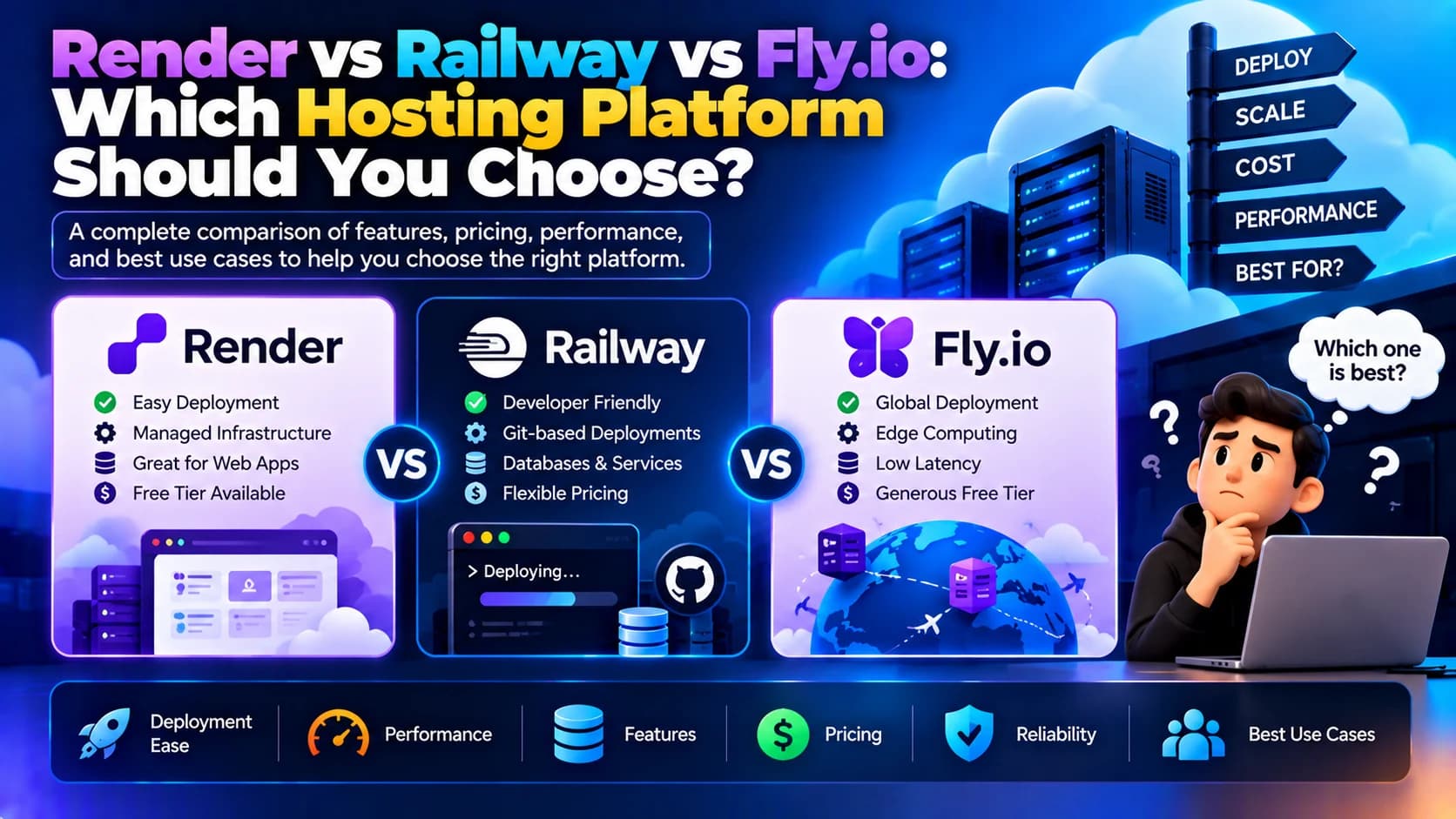
Choosing the right hosting platform is an important decision when building and deploying a web application. Developers need a hosting solution that is easy to configure, reliable, scalable, and affordable as their applications grow. While traditional cloud providers offer extensive infrastructure control, modern application hosting platforms simplify deployment and reduce server management overhead.
Render, Railway, and Fly.io are three popular platforms that help developers deploy applications without managing every aspect of the underlying infrastructure. They support modern development workflows and can be useful for hosting APIs, backend services, web applications, and other workloads.
However, these platforms differ in their deployment workflows, infrastructure models, networking capabilities, pricing structures, and operational complexity. The best choice depends on your application's architecture, expected traffic, database requirements, and the level of control your team needs.
In this guide, we will compare Render vs Railway vs Fly.io, explore their key features, and explain how to choose the right hosting platform for your project.
1. What Is Render?
<AsyncImage query="Render cloud application hosting platform dashboard web services deployment" aspectRatio="16:9" width="100%" />
Render is a cloud application platform designed to simplify the deployment and management of web applications and supporting services. Developers can connect a Git repository, configure their application, and deploy it without manually provisioning and maintaining a traditional server.
Render supports web services, static sites, background workers, scheduled jobs, and managed data services. It is suitable for teams that want a straightforward deployment workflow with relatively little infrastructure management.
Key Features of Render
Git-based deployments: Deploy applications from supported source code repositories.
Multiple application types: Host web services, static sites, background workers, and scheduled jobs.
Managed databases: Use supported managed database services, including PostgreSQL.
Environment variables and secrets: Configure application settings without hardcoding credentials in source code.
Custom domains and HTTPS: Configure custom domains and secure connections for supported services.
Background processing: Run separate workers for tasks that should not block web requests.
Deployment controls: Manage releases and deploy updated application versions through the platform.
Advantages of Render
Simple deployment process for many common web applications.
Suitable for frontend, backend, and full-stack projects.
Supports background workers and scheduled tasks.
Reduces the need to manage operating systems and web servers directly.
Useful for small teams that want a straightforward hosting workflow.
Limitations of Render
Some advanced infrastructure requirements may need a different hosting model.
Costs can increase as applications require more resources or additional services.
Applications with highly specialized networking or regional infrastructure needs should be evaluated carefully.
Free or lower-cost offerings may have limitations that make them unsuitable for production workloads.
Best Use Cases for Render
Render is a good option for SaaS applications, business websites, REST APIs, admin dashboards, internal tools, and applications that benefit from simple Git-based deployments.
2. What Is Railway?
<AsyncImage query="Railway cloud deployment platform project dashboard services database deployment logs" aspectRatio="16:9" width="100%" />
Railway is a cloud application platform that focuses on making application deployment and infrastructure provisioning convenient for developers. It provides a project-based workflow in which applications, databases, and other services can be configured and managed together.
Railway is particularly appealing for developers who want to deploy an application quickly, connect supporting services, and manage their project through a unified dashboard.
Key Features of Railway
Git-based deployment: Deploy applications from connected repositories.
Project-based infrastructure: Organize applications and supporting services within projects.
Database provisioning: Deploy supported databases and connect them to application services.
Environment management: Configure variables and separate environments for different stages of development.
Deployment logs: Inspect build output, runtime logs, and deployment status.
Service networking: Connect services within a project using supported networking features.
Usage-based billing: Costs generally depend on the plan and resources consumed, subject to current plan rules.
Advantages of Railway
Convenient setup for applications with multiple services.
Useful for quickly deploying backend APIs and databases.
Developer-friendly dashboard and deployment workflow.
Helps reduce the work involved in provisioning supporting infrastructure.
Suitable for prototypes, MVPs, and many production applications.
Limitations of Railway
Resource consumption needs to be monitored to control hosting costs.
Pricing and included allowances can change, so teams should review current plan details.
Applications requiring extensive infrastructure customization may need additional configuration or another hosting approach.
Production workloads still require careful planning for backups, security, monitoring, and availability.
Best Use Cases for Railway
Railway works well for startups, Node.js applications, backend APIs, database-backed services, MVPs, development environments, and small teams that want to deploy applications quickly.
3. What Is Fly.io?
<AsyncImage query="Fly.io cloud application deployment platform dashboard regions machines infrastructure" aspectRatio="16:9" width="100%" />
Fly.io is a platform for running applications on virtual machines distributed across multiple geographic regions. It gives developers more control over deployment locations and runtime configuration than many purely managed application hosting workflows.
Fly.io is particularly relevant when application latency, geographic distribution, container-based deployment, or regional infrastructure placement is important.
Key Features of Fly.io
Global deployment: Run application instances in supported geographic regions.
Virtual machines: Deploy workloads using Fly Machines and configure their runtime resources.
Container-based workflows: Deploy containerized applications using supported tooling.
Regional placement: Choose deployment regions based on application requirements.
Private networking: Connect application components using supported private networking capabilities.
Persistent storage: Use supported storage options for workloads that require persistent data.
Application configuration: Manage runtime settings and deployment configuration through platform tooling.
Advantages of Fly.io
Provides flexibility over where application instances run.
Useful for applications with latency-sensitive users in different regions.
Offers greater control over runtime and machine configuration than some simpler hosting platforms.
Suitable for containerized applications and custom deployment requirements.
Can support distributed application architectures when designed appropriately.
Limitations of Fly.io
May require more infrastructure knowledge and operational effort.
Teams need to understand machine lifecycle, networking, storage, and deployment configuration.
Multi-region deployments require careful consideration of database consistency and state management.
Running globally distributed application instances does not automatically make a database globally distributed or guarantee high availability.
Best Use Cases for Fly.io
Fly.io can be a good fit for latency-sensitive applications, globally distributed services, containerized backends, custom runtime workloads, and applications that need more control over regional deployment.
4. Render vs Railway vs Fly.io: Key Differences
The three platforms simplify cloud deployment, but they emphasize different aspects of the developer experience.
Feature | Render | Railway | |
|---|---|---|---|
Primary focus | Managed application hosting | Developer-friendly project deployment | Flexible, regionally distributed application hosting |
Deployment workflow | Git-based and platform-managed | Git-based and project-oriented | CLI and configuration-driven workflows |
Ease of getting started | Generally straightforward | Generally straightforward | Can require more technical setup |
Application types | Web services, static sites, workers, and jobs | Application services and supporting resources | Applications running on configurable machines |
Database approach | Managed data services available | Database services can be provisioned within projects | Database deployment and operations may require more planning |
Geographic control | Depends on service and supported regions | Depends on service and available regions | Strong emphasis on regional placement |
Infrastructure control | Lower for managed services | Moderate, depending on service | More direct runtime and machine configuration |
Typical audience | Developers seeking managed hosting | Startups and developers seeking quick deployment | Developers needing more runtime and regional control |
Features and limits can change. Check each provider's current documentation before choosing a platform for production.
5. Render vs Railway vs Fly.io: Pricing Comparison
Pricing is an important consideration, especially for startups and applications with unpredictable traffic. However, the cheapest platform at the beginning may not be the most economical choice as an application grows.
Render Pricing
Render's costs depend on the services and resource sizes you select. A deployment may involve a web service, database, background worker, and other supporting services.
Consider:
The monthly cost of the selected compute instance.
Database size and availability requirements.
Background worker resource consumption.
Bandwidth and other service-specific charges.
Whether the plan meets your uptime and support requirements.
Railway Pricing
Railway's pricing depends on its current plans, included allowances, and resource usage rules.
Consider:
CPU and memory consumption.
Application runtime and database usage.
Storage and network usage where applicable.
Included credits or usage allowances.
The cost of running multiple environments or services.
Fly.io Pricing
Fly.io pricing depends on the resources and platform services your application consumes.
Consider:
Machine size and running time.
The number of deployed instances and regions.
Persistent storage requirements.
Network transfer and other billable services.
The operational effort required to manage the infrastructure.
Which Platform Is the Cheapest?
There is no universal winner. A small API, a database-heavy SaaS product, and a globally distributed service have different cost profiles.
To compare platforms fairly, estimate the same workload on each: application resources, database capacity, storage, bandwidth, number of instances, and expected uptime. Also account for backups, monitoring, and the engineering time needed to maintain the application.
Always check the providers' current pricing pages before making a final decision.
6. Which Platform Is Best for Node.js Applications?
All three platforms can be considered for suitable Node.js workloads, but the right option depends on how the application is built and operated.
Choose Render if:
You want a managed deployment workflow.
Your application uses standard web services and background workers.
You want to reduce day-to-day server administration.
Choose Railway if:
You want to deploy a Node.js API and supporting services within one project.
You need a convenient way to provision and connect a database.
You are building an MVP or want a quick development-to-production workflow.
Choose Fly.io if:
You need control over runtime configuration and deployment regions.
Your application benefits from placing compute close to users.
Your team is comfortable managing more infrastructure details.
For example, a typical Express.js API with a PostgreSQL database may fit Render or Railway well. A Node.js service that needs instances in multiple geographic regions may be a better candidate for Fly.io, provided its state and database architecture support that deployment model.
7. Which Platform Is Best for Full-Stack Applications?
Full-stack applications commonly contain a frontend, backend API, database, and possibly background workers.
The hosting choice should account for how these components communicate and scale.
Render for Full-Stack Applications
Render is useful when you want to host a frontend or static site alongside backend services and supporting resources. Its managed workflow can simplify deployments for conventional web architectures.
Railway for Full-Stack Applications
Railway is convenient when the frontend, backend, database, and other services need to be organized together as a project. This can make development and deployment easier for small teams.
Fly.io for Full-Stack Applications
Fly.io is worth considering when the backend needs specific runtime configurations or regional placement. However, the frontend, API, and database may require separate deployment and operational decisions.
Regardless of the platform, keep secrets on the server, configure proper access controls, and avoid exposing private database credentials in frontend code.
8. Scalability and Performance Comparison
Scalability is not simply a matter of increasing server resources. Application architecture, database performance, caching, background processing, and network latency all affect how well a system handles growth.
Render: Managed services can simplify scaling supported workloads. Review the selected service's scaling options, resource limits, and availability requirements.
Railway: Applications can grow by adjusting resource allocations and deployment configurations supported by the platform. Monitor resource consumption and plan how services behave under increased traffic.
Fly.io: Applications can be deployed across regions and run on configurable machines. This offers flexibility, but developers must design for health checks, traffic routing, data consistency, and failure recovery.
Before selecting a platform, load-test your application and identify bottlenecks. A larger instance will not fix inefficient database queries or an architecture that cannot safely handle concurrent requests.
9. Security and Reliability Considerations
Hosting platforms provide infrastructure capabilities, but businesses remain responsible for configuring their applications securely and designing appropriate recovery procedures.
Important practices include:
Enforce HTTPS for public-facing services.
Store credentials in environment variables or a suitable secrets-management service.
Restrict database access and use least-privilege credentials.
Keep application dependencies updated.
Configure database backups and test restoration.
Monitor application errors and service health.
Review access permissions and audit important changes.
Plan for deployments that fail and services that become unavailable.
Do not assume that choosing a managed hosting platform automatically guarantees zero downtime, complete data protection, or compliance with every regulatory requirement.
For applications handling sensitive business or customer data, evaluate the provider's security controls, data location, contractual terms, and compliance requirements before deployment.
10. How to Choose the Right Hosting Platform
Use these questions to narrow down your choice:
How much infrastructure control do you need? If you want a managed experience, start by evaluating Render and Railway. If runtime and regional control are priorities, evaluate Fly.io.
What does your application require? Check framework compatibility, background jobs, database options, persistent storage, and networking.
Who will manage production? A small team may prefer simpler operations, while an experienced infrastructure team may value additional control.
What is your expected traffic? Estimate resource needs and test the application under realistic load.
How important is geographic latency? If users are distributed across regions, examine where the application and its data can run.
What is your budget? Compare total monthly cost at your expected workload rather than relying only on introductory plans.
What reliability does your business need? Review backups, recovery, scaling, monitoring, and availability requirements.
A short proof of concept on your preferred platforms can reveal deployment and operational differences before you commit to one.
Conclusion
Render, Railway, and Fly.io each offer a different approach to modern application hosting.
Render is a strong candidate for teams that prefer managed application hosting and straightforward deployment workflows. Railway is appealing for developers who want to deploy applications and supporting services through a unified project experience. Fly.io is worth evaluating when regional deployment flexibility and runtime control are important.
The best hosting platform depends on your application's architecture, budget, performance requirements, and your team's operational expertise. Compare the services against a realistic workload, test the deployment process, and review security and recovery requirements before moving a production application.
If your business needs help selecting a hosting platform, deploying a web application, or optimizing an existing cloud setup, Dotcube Technologies can help evaluate your requirements and build a solution that supports your business goals.