How to Reduce AWS Hosting Costs for Growing Web Applications
IntroductionAmazon Web Services (AWS) provides a flexible cloud infrastructure that helps businesses host websites, web applications, APIs, and databases. As…
Introduction
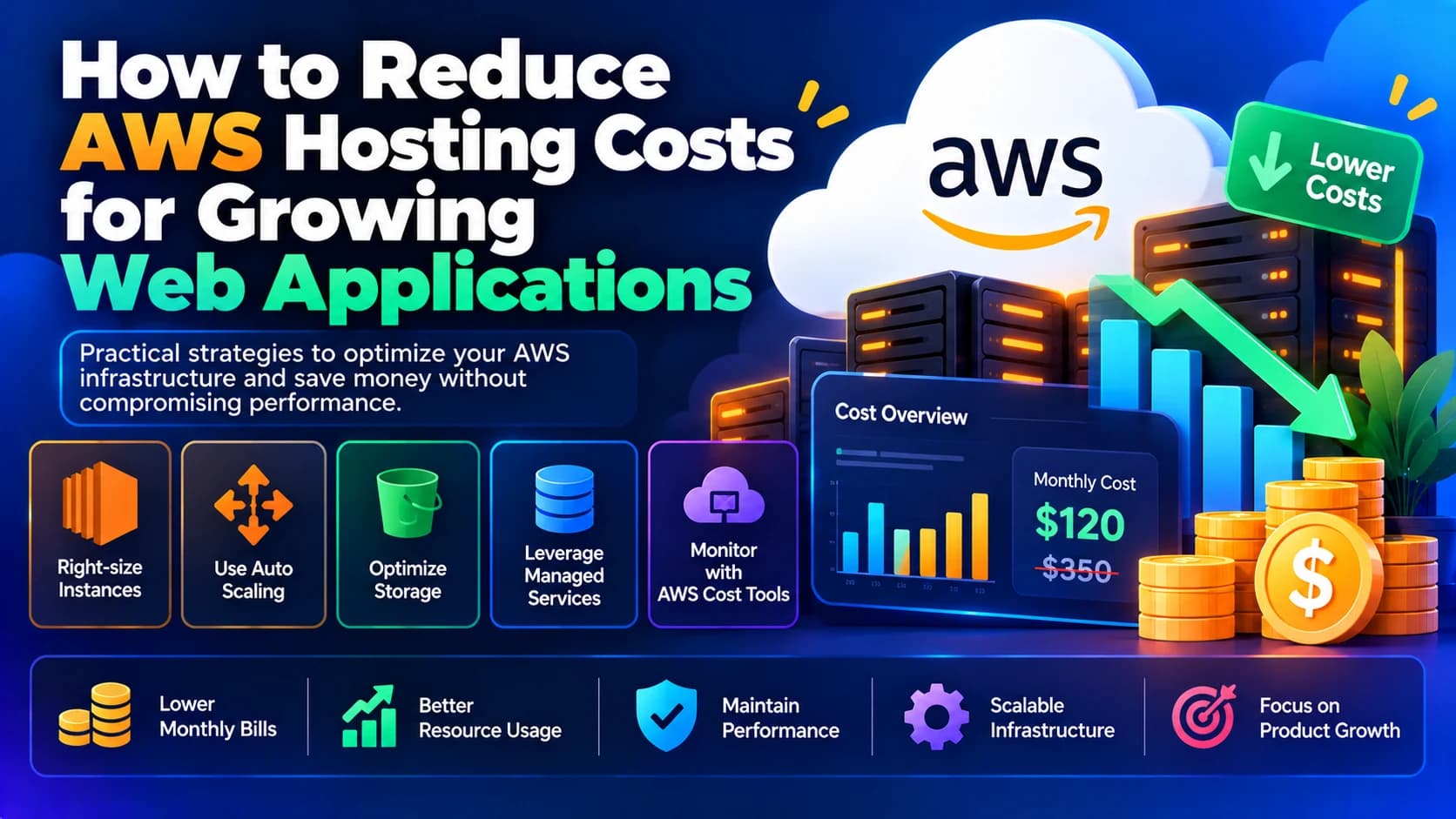
Amazon Web Services (AWS) provides a flexible cloud infrastructure that helps businesses host websites, web applications, APIs, and databases. As an application grows, AWS makes it possible to scale resources according to demand. However, without proper monitoring and optimization, hosting costs can increase quickly.
Businesses may end up paying for oversized EC2 instances, unused storage volumes, excessive data transfer, idle databases, or resources that continue running even when they are not needed.
The good news is that reducing AWS hosting costs does not necessarily mean sacrificing application performance, reliability, or security. By understanding your infrastructure usage, choosing the right services, and optimizing resource consumption, you can control expenses while supporting business growth.
In this guide, we will explore practical ways to reduce AWS hosting costs for growing web applications.
1. Analyze Your Current AWS Spending
Before optimizing your infrastructure, identify which services are consuming the most money.
AWS provides billing and cost-management tools that help you understand spending across services, regions, and usage categories.
Start by reviewing:
Amazon EC2 compute costs.
Amazon RDS database expenses.
S3 storage and request charges.
Data transfer and bandwidth costs.
Load balancers and networking resources.
CloudWatch logs and monitoring expenses.
Backup and snapshot storage.
NAT Gateway and other networking charges.
Use AWS Cost Explorer to review historical spending, identify cost trends, and compare monthly expenses. AWS Budgets can help you establish spending thresholds and receive alerts when costs approach your budget.
For example, if your monthly AWS bill has increased from $200 to $450, break down the difference by service before making infrastructure changes. You may discover that a growing database, higher data transfer, or an oversized server is responsible for the increase.
The first step toward reducing AWS costs is understanding exactly where your money is going.
2. Choose the Right EC2 Instance Size
Amazon EC2 is a common hosting option for web applications, but selecting an oversized instance can waste money.
A server with excessive CPU and memory capacity may remain underutilized even though you are paying for its full running time.
Review your EC2 metrics before selecting an instance size.
Consider the following factors:
Average and peak CPU utilization.
Memory consumption.
Network throughput.
Application response times.
Traffic patterns throughout the day.
Background jobs and scheduled tasks.
If your application consistently uses only a small portion of its available CPU and memory, test whether a smaller instance can support the workload safely.
AWS offers different instance families for general-purpose, compute-intensive, and memory-intensive applications. Choosing the right family can improve price-performance.
However, avoid downsizing based on average CPU usage alone. Check peak traffic, memory requirements, and performance during background processing before changing production capacity.
3. Use Auto Scaling to Match Resources With Demand
Growing web applications rarely experience the same traffic every hour.
An e-commerce application may receive heavy traffic during promotions, while a business dashboard may have most of its activity during working hours.
Keeping enough servers running for the maximum possible traffic throughout the day can increase costs unnecessarily.
AWS Auto Scaling can automatically adjust the number of EC2 instances based on defined policies and workload requirements.
For example, you can configure scaling rules to:
Add instances when demand increases.
Remove excess instances when traffic decreases.
Maintain a minimum number of healthy servers.
Replace unhealthy instances automatically.
Auto Scaling works particularly well with an Application Load Balancer and an application architecture that supports multiple instances.
Before reducing capacity, ensure that the application does not depend on local server sessions, files, or other state that would prevent requests from being handled by different instances.
For workloads with predictable traffic, scheduled scaling may also help match capacity to business hours.
4. Use AWS Savings Plans or Reserved Instances
If your application requires servers or database capacity continuously, commitment-based pricing may reduce costs compared with standard on-demand rates.
AWS offers several pricing options, including Savings Plans and Reserved Instances.
AWS Savings Plans
Savings Plans offer discounted pricing in exchange for committing to a specified amount of eligible compute usage over a one- or three-year term, depending on the plan.
They can be useful for businesses with predictable long-term compute requirements.
Reserved Instances
Reserved Instances can provide pricing benefits for eligible services, including certain Amazon EC2 and Amazon RDS configurations, in exchange for a commitment.
The available benefits and flexibility depend on the service and purchase option.
Before committing, analyze your baseline usage and expected growth. Avoid purchasing commitments for resources that may soon be replaced, scaled down, or discontinued.
For a newly launched application with uncertain traffic, on-demand pricing may be more appropriate until usage patterns become clearer.
5. Move Suitable Workloads to AWS Graviton Instances
AWS Graviton processors power certain EC2 instance families designed to deliver strong price-performance for supported workloads.
For compatible applications, Graviton-based instances may provide better price-performance than comparable alternatives.
They can be worth evaluating for:
Node.js applications.
Java services.
PHP applications.
Containerized workloads.
Compatible database and background-processing services.
However, migrating to Graviton requires checking operating-system support, runtime compatibility, native dependencies, and third-party software.
Benchmark the application in a test environment before moving production traffic. Compare both the actual AWS cost and the performance achieved under representative workloads.
6. Optimize Database Hosting Costs
Database infrastructure can become a significant part of AWS spending as an application grows.
Amazon RDS simplifies database management, but costs may increase because of oversized database instances, provisioned storage, backups, or high availability requirements.
To optimize database costs:
Choose a database instance size based on actual CPU and memory requirements.
Identify slow queries and add appropriate indexes.
Remove unnecessary database operations.
Review storage allocation and growth.
Configure backups according to recovery requirements.
Delete obsolete test databases when they are no longer needed.
Consider suitable Graviton-based database instances where supported.
Review whether a Multi-AZ deployment is necessary for the application's availability requirements.
Database optimization can reduce costs without requiring a smaller database server. Improving query performance may allow the application to handle more traffic with the existing resources.
Do not remove high-availability features simply to reduce expenses. First understand the impact on recovery time, availability, and business operations.
7. Use Amazon S3 for Appropriate File Storage
Storing every uploaded file directly on an EC2 server can create operational and scaling challenges.
For suitable applications, Amazon S3 provides object storage for images, documents, exports, backups, and other files.
Using S3 can help separate file storage from application compute capacity, making it easier to scale or replace application servers.
To manage S3 expenses:
Select an appropriate storage class for each workload.
Configure lifecycle rules for eligible objects.
Remove obsolete files and incomplete multipart uploads.
Avoid storing unnecessary duplicate files.
Review versioning and retained object versions.
Monitor retrieval, request, and data transfer charges.
For example, frequently accessed product images may need a different storage strategy from old reports that are rarely opened.
Storage classes such as S3 Standard-IA and S3 Glacier options have different retrieval characteristics, minimum storage durations, and pricing rules. Evaluate these trade-offs before moving data.
8. Reduce Data Transfer and Bandwidth Costs
Data transfer expenses can become substantial when an application serves large amounts of content or moves data between AWS services and the public internet.
Images, videos, downloadable reports, and API responses can all contribute to network usage.
Consider these optimization techniques:
Use Amazon CloudFront to cache eligible content closer to users.
Compress images and other suitable assets.
Enable appropriate HTTP compression for text-based responses.
Configure cache-control headers.
Avoid transferring large files repeatedly.
Review cross-region data transfer.
Reduce unnecessary communication between application components.
A content delivery network can reduce repeated requests to the origin server, although CloudFront also has its own charges.
Review NAT Gateway usage and data processing charges as well. Applications that send substantial traffic through a NAT Gateway may incur costs that are not obvious from EC2 instance pricing alone.
Measure traffic patterns before changing network architecture.
9. Use Serverless Services for Suitable Workloads
Not every application component needs a continuously running server.
For intermittent jobs, event-driven operations, and certain API workloads, AWS serverless services may reduce the need to maintain idle infrastructure.
Examples include:
AWS Lambda for supported event-driven functions.
Amazon S3 for static asset storage and eligible static website architectures.
Amazon EventBridge for scheduled or event-based tasks.
Amazon SQS for decoupling background jobs from web requests.
For example, an application that generates reports only a few times per hour may be able to process those jobs using event-driven compute rather than maintaining a dedicated worker server all day.
Serverless is not automatically cheaper for every workload. High execution volume, long-running tasks, memory requirements, networking, and service integrations can affect total cost.
Compare the full architecture cost rather than comparing a single Lambda invocation with an EC2 instance price.
10. Identify and Remove Unused AWS Resources
Unused resources are a common source of avoidable cloud spending.
Development servers, old database instances, unattached storage volumes, outdated snapshots, and unused load balancers can continue generating charges.
Regularly review:
Stopped or forgotten EC2 instances and their associated resources.
Unattached EBS volumes.
Unused Elastic IP addresses and public IPv4 addresses.
Old snapshots and backups.
Unused load balancers.
Abandoned test databases.
Unnecessary NAT Gateways.
Unused development environments.
Remember that stopping an EC2 instance generally stops its instance compute charges, but attached storage and other resources may continue to incur costs. Deleting a resource can also permanently remove data or affect a running application.
Use resource tags such as Environment, Project, Owner, and CostCenter to identify which teams and applications own each resource.
11. Schedule Development and Testing Environments
Development and testing servers often do not need to run continuously.
If your team works during specific hours, you may be able to schedule eligible non-production resources to stop outside those hours.
For example, a development environment used for eight hours per weekday may not need to run overnight and throughout the weekend.
You can evaluate:
Scheduled start and stop automation.
Separate resource limits for development and production.
Smaller instances for low-demand testing.
Temporary environments for short-lived tasks.
Automated cleanup for abandoned test resources.
Before implementing schedules, verify that no essential background jobs, backups, integrations, or overnight tests depend on those environments.
Production systems should follow their actual availability requirements rather than the development team's working hours.
12. Optimize Container and Kubernetes Costs
Applications running on Docker, Amazon ECS, or Amazon EKS may incur costs from both compute resources and the orchestration infrastructure.
To optimize container hosting:
Set appropriate CPU and memory requests and limits.
Right-size container workloads using actual utilization.
Scale tasks or pods based on demand.
Use appropriate EC2 capacity or evaluate supported serverless container options.
Remove unused clusters and supporting resources.
Review logging, monitoring, and network costs.
Consider AWS Fargate when its operational benefits and pricing suit the workload.
For Amazon EKS, account for cluster-related charges and the underlying compute and networking resources. For ECS, compare the cost and operational trade-offs of EC2-backed tasks and Fargate.
Do not reduce container resources without performance testing. Insufficient CPU or memory can cause restarts, throttling, and slower application responses.
13. Monitor Costs With AWS Budgets and Cost Anomaly Detection
Cost optimization should be an ongoing process rather than a one-time activity.
AWS Budgets can notify you when actual or forecasted costs exceed defined thresholds. AWS Cost Anomaly Detection can help identify unusual spending patterns.
Set up monitoring for:
Monthly total AWS spending.
EC2 and database costs.
Development and staging environments.
Data transfer expenses.
Storage growth.
Unexpected service usage.
For example, if your monthly infrastructure budget is $500, you could configure alerts at 70%, 90%, and 100% of that budget.
Alerts help you investigate unexpected increases early. They do not automatically prevent all spending, so pair them with operational controls and regular billing reviews.
14. Use Infrastructure as Code and Cost Reviews
As a business grows, manual infrastructure changes can create inconsistent environments and unnecessary resources.
Infrastructure as Code tools, such as AWS CloudFormation and Terraform, allow teams to define infrastructure in version-controlled configuration files.
This approach helps teams:
Review infrastructure changes before deployment.
Reuse consistent development and production configurations.
Identify unnecessary resource creation.
Document resource ownership.
Standardize instance sizes and environment settings.
Review expected cost impacts before applying changes.
You can also introduce a monthly cloud cost review in which developers and infrastructure teams examine cost trends, utilization, and upcoming capacity requirements.
The goal is to make cost efficiency part of the development process instead of treating it as a separate billing task.
15. Create a Practical AWS Cost Optimization Plan
You do not need to redesign your entire AWS environment at once. Start with improvements that are measurable and low risk.
A practical sequence is:
Step 1: Review AWS Cost Explorer to identify the largest expenses.
Step 2: Investigate idle resources and oversized EC2 or database instances.
Step 3: Review storage lifecycle policies and backup retention.
Step 4: Measure data transfer and caching opportunities.
Step 5: Test right-sizing and scaling changes in a non-production environment.
Step 6: Evaluate commitment-based pricing for stable workloads.
Step 7: Set up AWS Budgets and recurring cost reviews.
Step 8: Track savings alongside application performance, availability, and reliability.
Measure the results before and after each change. This makes it easier to identify which optimizations produce real savings and which introduce unnecessary complexity.
Common AWS Cost Optimization Mistakes
Choosing the cheapest instance without testing
A smaller instance may reduce the hourly cost but cause slower responses or application failures under load. Optimize for the cost of meeting performance requirements, not the lowest price alone.
Purchasing long-term commitments too early
Savings Plans and Reserved Instances can be valuable, but committing before usage stabilizes may leave you paying for capacity you no longer need.
Ignoring data transfer charges
An application with low compute usage can still have significant costs from outbound traffic, NAT Gateway processing, or cross-region communication.
Deleting resources without checking dependencies
An apparently unused volume, snapshot, database, or IP address may support a critical recovery or production workflow. Verify ownership and dependencies before removal.
Reducing costs at the expense of reliability
Removing backups, disabling required redundancy, or eliminating monitoring may lower short-term expenses while increasing business risk. Cost optimization should preserve appropriate security and availability.
Conclusion
Reducing AWS hosting costs for growing web applications requires a combination of monitoring, infrastructure right-sizing, database optimization, efficient storage, traffic management, and automation.
Start by understanding your existing AWS bill, then focus on the largest opportunities. Use Auto Scaling where demand varies, review commitment-based pricing for stable workloads, remove genuinely unused resources, and optimize data transfer and storage.
Most importantly, evaluate every change against performance, security, and availability requirements. The cheapest infrastructure is not necessarily the most cost-effective if it causes outages or limits business growth.
At Dotcube Technologies, businesses can get support with AWS infrastructure optimization, cloud migration, application deployment, server monitoring, and scalable web application development. A structured cost optimization strategy can help your business use cloud resources efficiently while preparing for future growth.
Frequently Asked Questions
1. How can I reduce my AWS hosting bill?
Start by reviewing AWS Cost Explorer, right-sizing underutilized resources, removing unused infrastructure, optimizing storage and data transfer, and selecting suitable pricing plans for stable workloads.
2. Is AWS cheaper than traditional shared hosting?
Not always. Shared hosting may be more economical for a small website with predictable requirements. AWS provides greater infrastructure flexibility and scalability, but its costs depend on the services, traffic, architecture, and management approach.
3. Does AWS Auto Scaling reduce hosting costs?
Auto Scaling can reduce unnecessary compute spending when it scales eligible resources down during periods of lower demand. Savings depend on the scaling configuration, minimum capacity, workload behavior, and associated service costs.
4. Are AWS Savings Plans worth it?
They can be beneficial when you have predictable eligible compute usage over the commitment period. Review historical usage and future requirements before purchasing a plan.
5. How can I reduce Amazon S3 storage costs?
Review storage classes, lifecycle rules, old object versions, incomplete multipart uploads, and unnecessary files. Account for retrieval fees and minimum storage durations when selecting a storage class.
6. How often should I review AWS costs?
Review cost trends at least monthly and use alerts for unexpected increases. High-growth applications or environments with frequently changing infrastructure may benefit from weekly reviews.
7. Can I reduce AWS costs without affecting performance?
Yes. Right-sizing, caching, query optimization, resource scheduling, and removing unused resources can reduce costs without harming performance when changes are tested and monitored carefully.