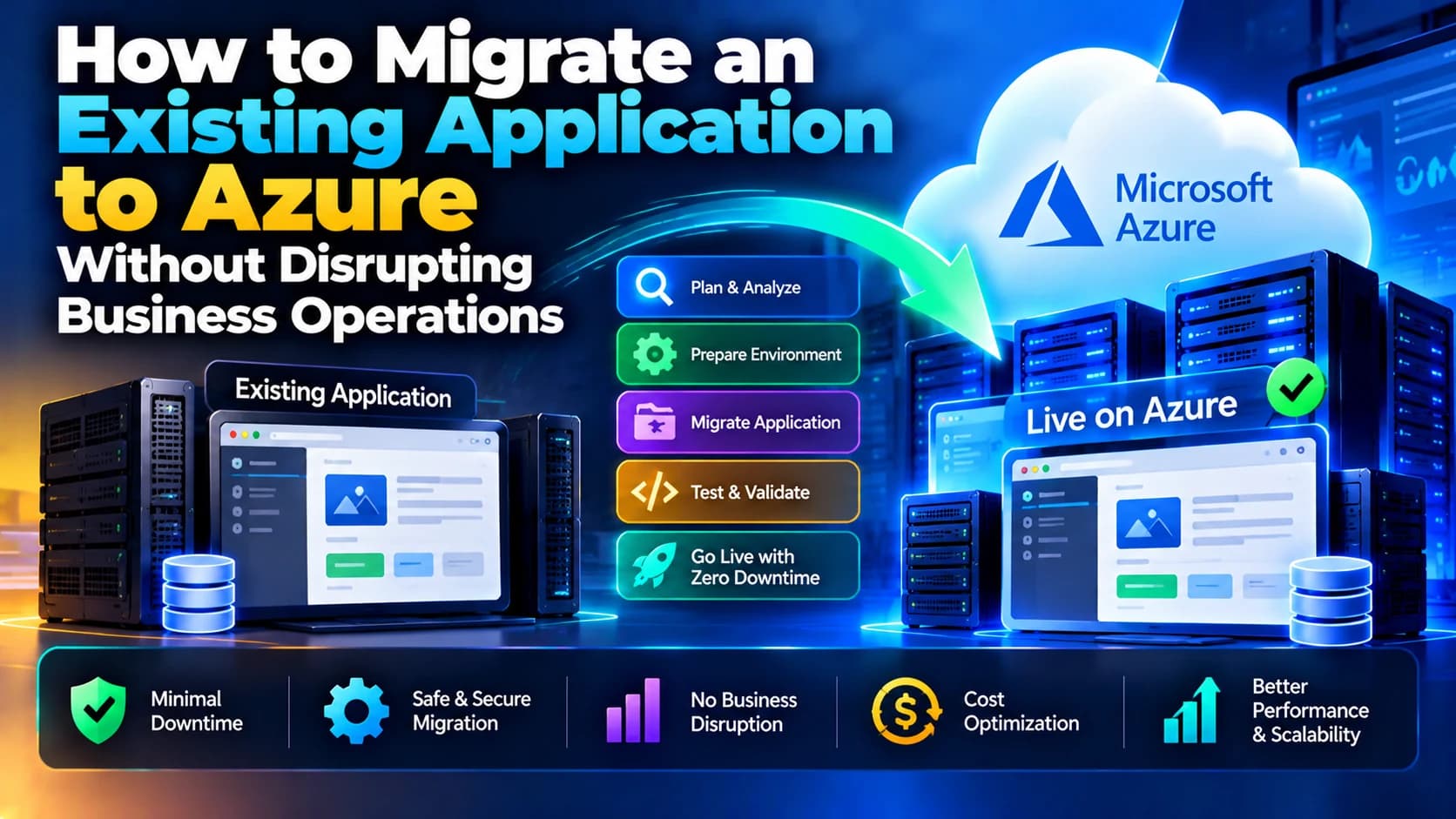
How to Migrate an Existing Application to Azure Without Disrupting Business Operations
Migrating an existing application to the cloud can help businesses improve scalability, performance, reliability, and infrastructure management. Microsoft…
Migrating an existing application to the cloud can help businesses improve scalability, performance, reliability, and infrastructure management. Microsoft Azure provides a range of cloud services that allow organizations to host applications, manage databases, improve security, and scale resources according to business needs.
However, migrating an application from an existing server or hosting environment to Azure requires careful planning. Unexpected downtime, data loss, application compatibility issues, and configuration errors can interrupt business operations and affect customer trust.
The key to a successful migration is to prepare the target environment, test the application thoroughly, move data safely, and switch production traffic only when the Azure environment is ready.
In this guide, we will explore how to migrate an existing application to Microsoft Azure while minimizing downtime and maintaining business continuity.
1. Assess Your Existing Application
Before migrating an application, understand how the current system works and identify its technical requirements.
Review the following components:
Application architecture: Identify the frontend, backend, APIs, background jobs, and third-party integrations.
Technology stack: Check whether the application uses Node.js, .NET, Java, PHP, Python, or another technology.
Database: Identify the database engine, storage requirements, and data migration needs.
Server configuration: Review operating systems, installed packages, environment variables, and scheduled tasks.
External dependencies: Identify payment gateways, email services, authentication providers, and other integrations.
Performance requirements: Analyze traffic patterns, response times, CPU usage, memory consumption, and storage needs.
This assessment helps determine which Azure services are appropriate and highlights potential compatibility issues before migration begins.
2. Choose the Right Azure Hosting Service
Azure offers multiple hosting options. Selecting the right service depends on your application's architecture, operational requirements, and budget.
Common options include:
Azure App Service: Suitable for web applications and APIs that benefit from managed hosting.
Azure Virtual Machines: Useful when applications require operating-system-level access or specific server configurations.
Azure Kubernetes Service (AKS): Appropriate for containerized applications that need Kubernetes orchestration.
Azure Container Apps: Useful for containerized applications without requiring direct management of a Kubernetes cluster.
Azure SQL Database: A managed relational database service for compatible SQL Server workloads.
Azure Database for PostgreSQL: A managed option for applications using PostgreSQL.
For example, a Node.js application currently running on a virtual private server might be moved to Azure App Service if its architecture is compatible. An application that depends on custom server software may be better suited to Azure Virtual Machines.
Choose a service based on actual requirements rather than migrating every component to the same hosting model.
3. Create a Migration Plan
A migration plan reduces uncertainty and helps teams coordinate the transition.
Define the migration scope, responsibilities, timeline, testing process, and rollback strategy before changing production infrastructure.
Your plan should include:
A list of application components and dependencies.
A migration schedule that avoids important business periods.
A data migration and validation strategy.
Security and access-control requirements.
A testing checklist for the new environment.
A communication plan for relevant stakeholders.
A rollback procedure if the migration fails.
For critical business applications, consider migrating one component or a small group of users first. This allows the team to identify issues before moving the entire workload.
4. Prepare the Azure Environment
Set up the Azure infrastructure before moving the production application.
Depending on your architecture, preparation may include:
Creating the required Azure resources.
Configuring networking, virtual networks, and access restrictions.
Setting up application hosting and database services.
Configuring environment variables and application settings.
Storing credentials and secrets securely using Azure Key Vault.
Configuring monitoring, logging, and alerts.
Applying the required security and backup policies.
Keep the existing production application running while preparing the Azure environment. This allows development and testing to continue without disrupting current users.
Also, use separate development, staging, and production environments wherever practical.
5. Migrate Application Files and Configuration
Once the Azure environment is ready, deploy the application code and required configuration.
You can use Git-based deployment, Azure Pipelines, GitHub Actions, container images, or other deployment mechanisms supported by your hosting service.
Before deployment, verify that:
The correct application version is being deployed.
Required dependencies are installed.
Environment variables are configured.
API endpoints and external service URLs are correct.
File uploads and persistent storage use suitable storage services.
Background workers and scheduled tasks are configured.
Authentication, payment processing, and email integrations work correctly.
Avoid copying development or local machine configuration directly into production. Review secrets, URLs, and service credentials to ensure they match the Azure environment.
6. Migrate the Database Without Losing Data
Database migration is one of the most important stages of an application migration.
The exact approach depends on the database engine, data volume, write activity, and acceptable downtime.
Common approaches include:
Backup and restore: Create a database backup and restore it into the target environment. This can be suitable for smaller databases or workloads with an approved maintenance window.
Export and import: Export the database and import it into the new service when supported by the database engine and migration tooling.
Continuous replication: For supported database configurations, replicate ongoing changes to the target database before the final cutover. This can reduce the amount of downtime required.
A safer database migration process typically includes:
Taking a verified backup of the source database.
Preparing the target database and required schema.
Migrating the initial data.
Synchronizing changes made during migration, if supported.
Comparing record counts and validating important business data.
Testing queries, transactions, and application workflows.
Scheduling the final cutover.
Do not assume that a successful database import guarantees a successful migration. Validate data integrity, indexes, permissions, stored procedures, and application compatibility.
7. Test the Application in a Staging Environment
Before sending real users to Azure, test the migrated application in a staging environment.
Functional testing should cover login, registration, form submissions, payments, file uploads, reporting, and other business-critical workflows.
Performance testing should examine response times, concurrent users, database queries, and resource consumption.
Security testing should check authentication, authorization, HTTPS, secrets management, network access, and data protection.
Also verify:
API integrations and webhooks.
Scheduled jobs and background processing.
Email and notification delivery.
Error handling and logging.
Backup and recovery procedures.
Application behavior under increased traffic.
Where possible, compare the Azure version with the existing production application using the same test cases.
Resolve critical issues before scheduling the production cutover.
8. Use a Low-Downtime Cutover Strategy
The cutover is the point at which production traffic moves from the existing environment to Azure.
A planned cutover helps minimize disruption.
One approach is to use DNS changes, a load balancer, or an appropriate traffic-routing service to direct users to the new environment.
A typical low-downtime cutover may follow these steps:
Deploy and test the application in Azure while the existing version remains active.
Complete the initial database migration and synchronize ongoing changes.
Reduce DNS time-to-live (TTL) ahead of the transition when appropriate.
Place the source application into maintenance or read-only mode if required to prevent conflicting writes.
Apply the final data synchronization.
Validate the target database and application.
Switch traffic to Azure.
Monitor errors, response times, and critical transactions.
Keep the previous environment available according to the rollback plan.
The exact sequence depends on the application's architecture. DNS changes alone do not guarantee zero downtime because DNS caching can delay the transition. Applications with active sessions, long-running jobs, or frequent database writes need additional planning.
9. Configure Monitoring and Alerts
After migration, monitor the application closely to detect issues before they affect a large number of users.
Azure Monitor and Application Insights can help track application performance, errors, dependencies, and resource utilization when configured for the workload.
Monitor important indicators such as:
HTTP errors and failed requests.
Application response times.
CPU and memory consumption.
Database performance and connection limits.
Failed background jobs.
Authentication and integration errors.
Availability and health-check results.
Set up alerts for significant failures and assign responsibility for responding to them.
Monitoring should begin before cutover where possible, so the team can compare application behavior before and after migration.
10. Prepare a Rollback Plan
Even after extensive testing, unexpected problems may occur during migration. A rollback plan helps the team respond without making the situation worse.
Before cutover, document how to restore service to the previous environment if the Azure deployment experiences critical issues.
Your rollback plan should identify:
The conditions that trigger rollback.
How traffic will be redirected.
How the previous application version will be restored.
How database changes will be handled.
Who can approve and execute the rollback.
How data consistency will be maintained.
Important: Rolling back application code or routing traffic to the old server does not automatically reverse database changes. If both environments accept writes, data can diverge. Define a safe write strategy and database recovery procedure before migration.
Retain source backups and the previous infrastructure until the new environment has been validated and the rollback window has passed.
11. Optimize Costs and Performance After Migration
Once the application is stable, review its performance and operating costs in Azure.
Check whether the selected compute resources match actual workload requirements. Oversized virtual machines, unnecessary storage, idle resources, and inefficient database queries can increase expenses.
Consider these improvements:
Right-size compute resources based on monitoring data.
Enable autoscaling where appropriate.
Optimize database queries and connection management.
Use caching for frequently requested data.
Configure a content delivery network for suitable static assets.
Review storage tiers and retention policies.
Use cost alerts and Azure Cost Management to track spending.
Make optimization changes carefully and measure their impact before applying them to business-critical workloads.
Common Mistakes to Avoid During Azure Migration
Avoid these common mistakes to reduce migration risks:
Migrating without understanding application dependencies.
Selecting Azure services without checking compatibility.
Skipping backups or failing to test database restoration.
Moving production traffic before completing functional testing.
Overlooking scheduled jobs, webhooks, and third-party integrations.
Failing to configure monitoring and alerts.
Assuming DNS changes will produce an immediate transition.
Allowing both old and new environments to write to the same business data without a synchronization strategy.
Decommissioning the old server before confirming that the new environment is stable.
Conclusion
Migrating an existing application to Microsoft Azure without disrupting business operations requires careful assessment, infrastructure preparation, secure data migration, thorough testing, and a controlled production cutover.
By choosing the right Azure services, validating application compatibility, planning database synchronization, monitoring the new environment, and maintaining a tested rollback strategy, businesses can reduce downtime and migration risks.
For organizations with complex applications, strict availability requirements, or large databases, working with an experienced cloud migration team can help ensure a smoother transition.
Dotcube Technologies helps businesses plan and develop web applications, modernize existing systems, and implement cloud-ready solutions aligned with their technical and operational needs.